The 7 differences between planning software and WFM
Do you really want to get a grip on your workforce? Then it is important to distinguish between simple scheduling software and real workforce management software (WFM). Many companies use both terms interchangeably. But that leads to confusion, inefficient processes and unnecessary costs. In this article you will read seven concrete differences. This will help you consciously choose what your company really needs.
PURPOSE OF THE SOFTWARE
Scheduling software mainly focuses on creating schedules and assigning shifts based on availability and working hours. This is primarily operational.
WFM software takes a broader approach. It not only optimizes rosters, but ensures that you have the right number of people with the right skills in the right place. In doing so, it takes into account budgets, forecasts and strategic goals. With WFM, you have real-time visibility into performance, costs and capacities.
Scope of functionality
Scheduling software mainly focuses on:
- Scheduling
- Time calculation
- Basic availability.
WFM also has these functions, but in addition:
- Forecasting and budgeting
- Time- and Attendance tracking
- Dashboards with KPIs
- Integrations with HR, Payroll and other systems
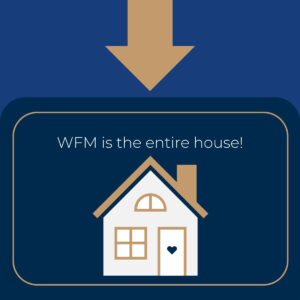
At MANUS, we see this schematically as the WFM house, a solid foundation with walls of steering information and a roof of integrations with partners and other systems.
Working strategically versus tactically
Scheduling software primarily supports day-to-day operations. You know who is working when. But you often lack insights to inform decisions for tomorrow or next year.
WFM goes further strategically: it helps you predict trends, create capacity plans and calculate scenarios. That contributes to choices about growth, staffing needs and skills.
Integration with business processes
and simple planner often works separately from other systems. That means manual work, duplicate entries and errors.
WFM is one integrated ecosystem. It connects:
- HR systems
- Payroll
- BI dashboards
- Other systems and communication tools
Everything comes together in one view. This provides real-time data and eliminates loose silos
Real-time control and adjustment
With standard scheduling software, you often only react when problems already arise: unforeseen downtime, peak hours or fluctuating demand.
WFM continuously monitors performance. You see deviations immediately and make adjustments immediately. As a result, you act proactively and prevent chaos.
Compliance and collective bargaining rules
Scheduling software usually only considers working hours. Complex rules around collective bargaining agreements, working hours, rest periods and contract variations often fall short here.
WFM monitors all rules automatically. This ensures compliance without additional manual labor, fewer errors and risks, and lasting peace of mind for HR and payroll.
Added value for the employee
Scheduling software mostly helps planners, but offers little for the employees themselves.
Modern WFM solutions offer self-service tools through mobile apps. In them, employees see their schedules, can swap shifts with colleagues or request leave. This improves communication and engagement.
Why this distinction is important?
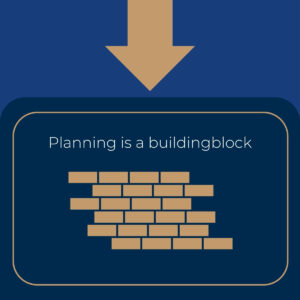
Many companies choose planning software because it seems cheap and works quickly. But over time, with changes such as expansion and mergers, it takes more time, produces errors and limits growth. Sound WFM software takes your organization to the next level:
- You prevent under- or overstaffing
- You reduce red tape
- You strengthen he strategic decision-making.
Don’t choose just any tool. Choose a system that grows with your goals.
Want to know how your company applies the WFM house as?
Request a no-obligation WFM scan and get instant visibility into areas for improvement